Relive every mile.
Animated 3D Maps & Tactile Scrapbooks.
Play your travel route as a cinematic 3D map flight or flip through a realistic page-turn digital photobook. Sync smartwatch workouts from Garmin, Apple Watch, Strava & Samsung, import/export GPX tracks, back up securely to your personal Google Drive or iCloud, and export 300 DPI print-ready PDFs or 2K QHD / 1080p 60 FPS videos with zero cloud tracking.
Available Worldwide on Google Play
JourneyLog is live on Google Play across 176+ countries. Install it on your Android device and start creating 3D animated route videos and customized travel scrapbook albums:
Includes Health Connect smartwatch sync (Garmin, Samsung, Strava), 3D page curl physics, background GPS recording, and full 100% on-device offline privacy.
Inside JourneyLog
Swipe left or right on mobile to explore authentic app screens.
3D Route Map & Animated Playback
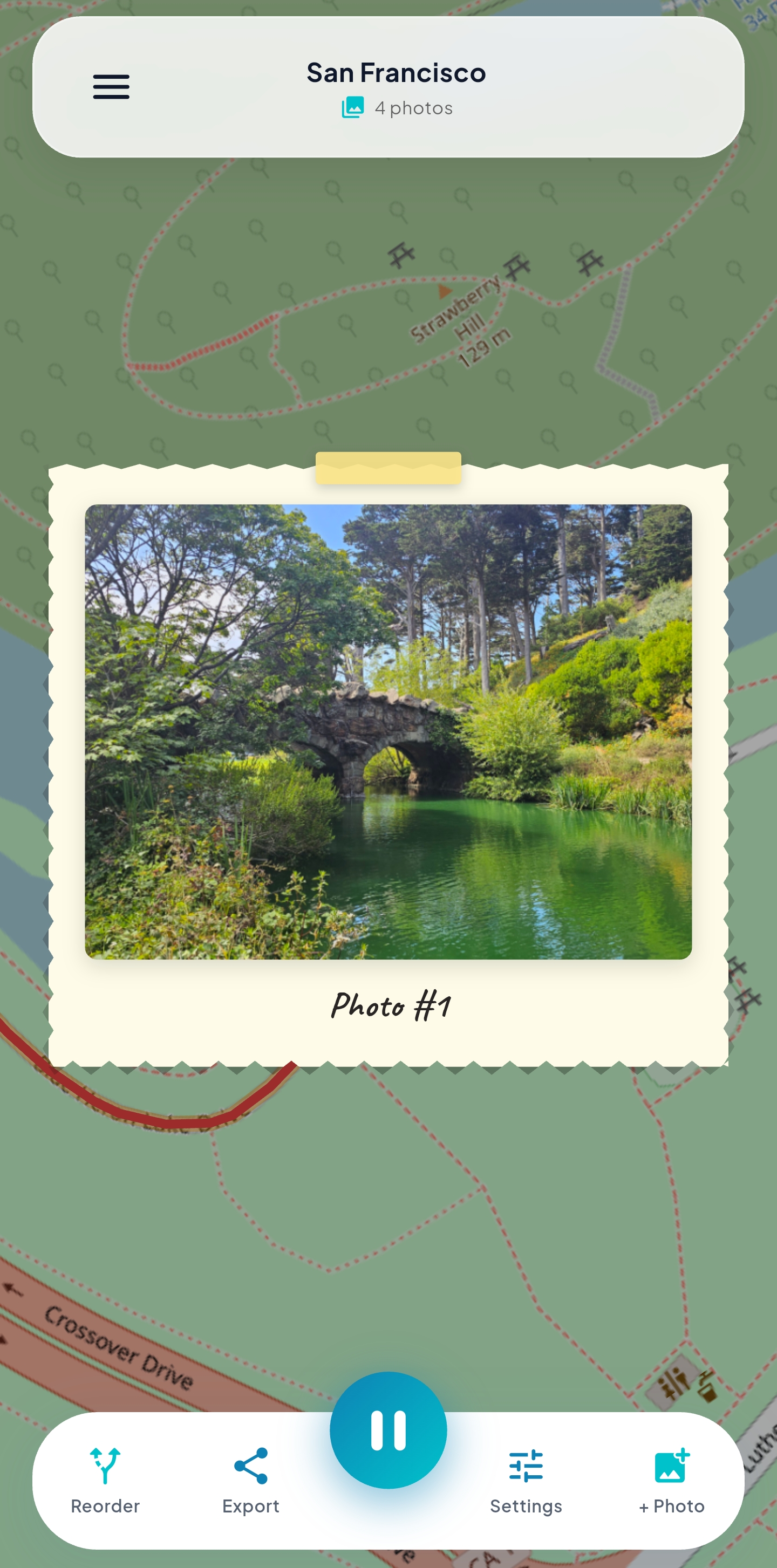
Relive your trips with high-precision 3D map animations. The transport vehicle glides along your snapped route path with dynamic camera following, live telemetry stats, and pop-up photo cards.
3D Map Journey vs. Scrapbook Studio
Every trip in JourneyLog shares the same unified database. Switch between the cinematic 3D Map Route and the tactile Digital Scrapbook Studio at any time with a single tap.
Playing a 3D Map Journey
Watch your travels unfold in a dynamic, full 3D terrain environment. As your vehicle advances along the route, the virtual camera dynamically tracks the movement, pausing at stops to showcase your captured memories.
Playing a Scrapbook Album
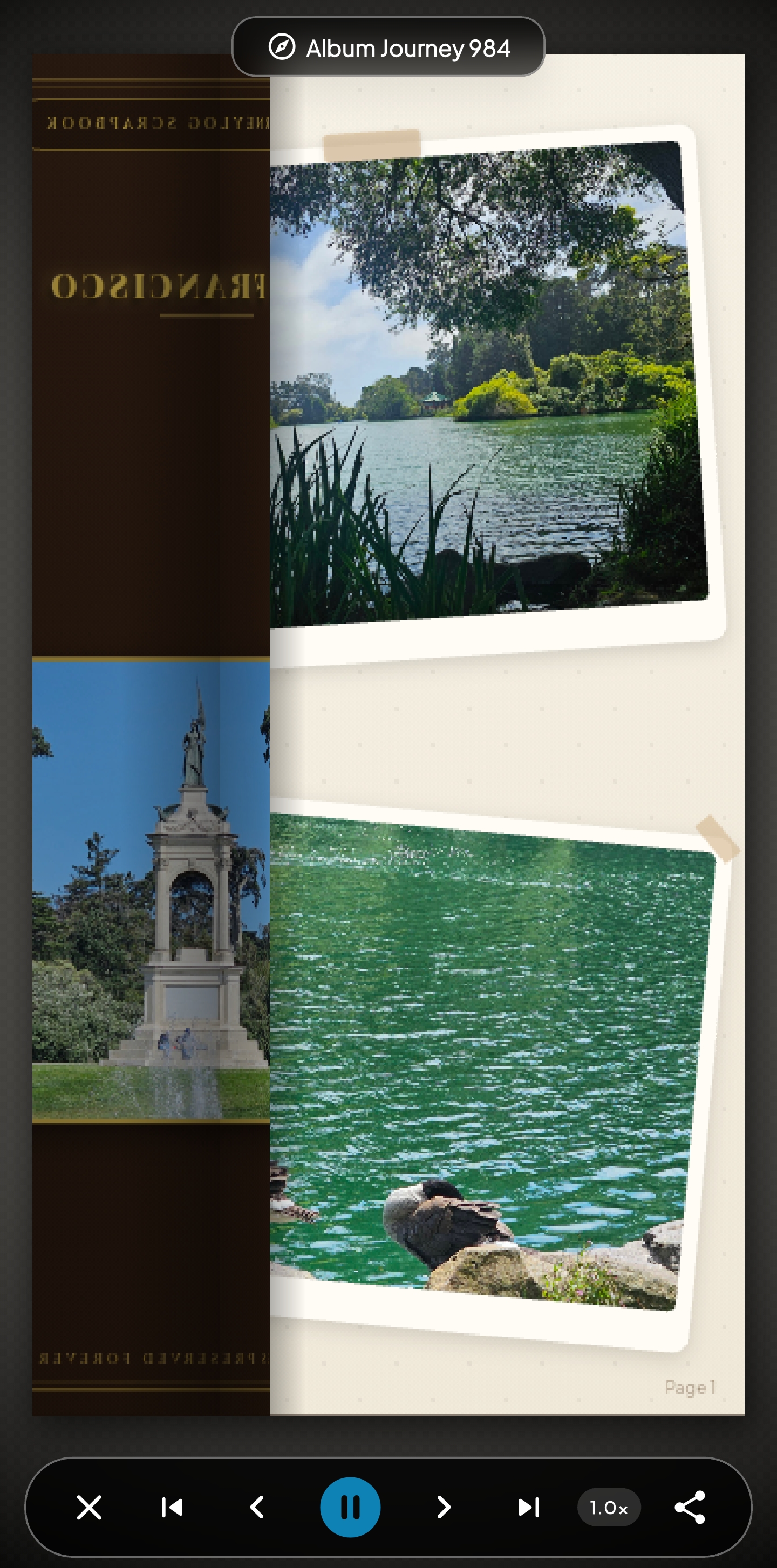
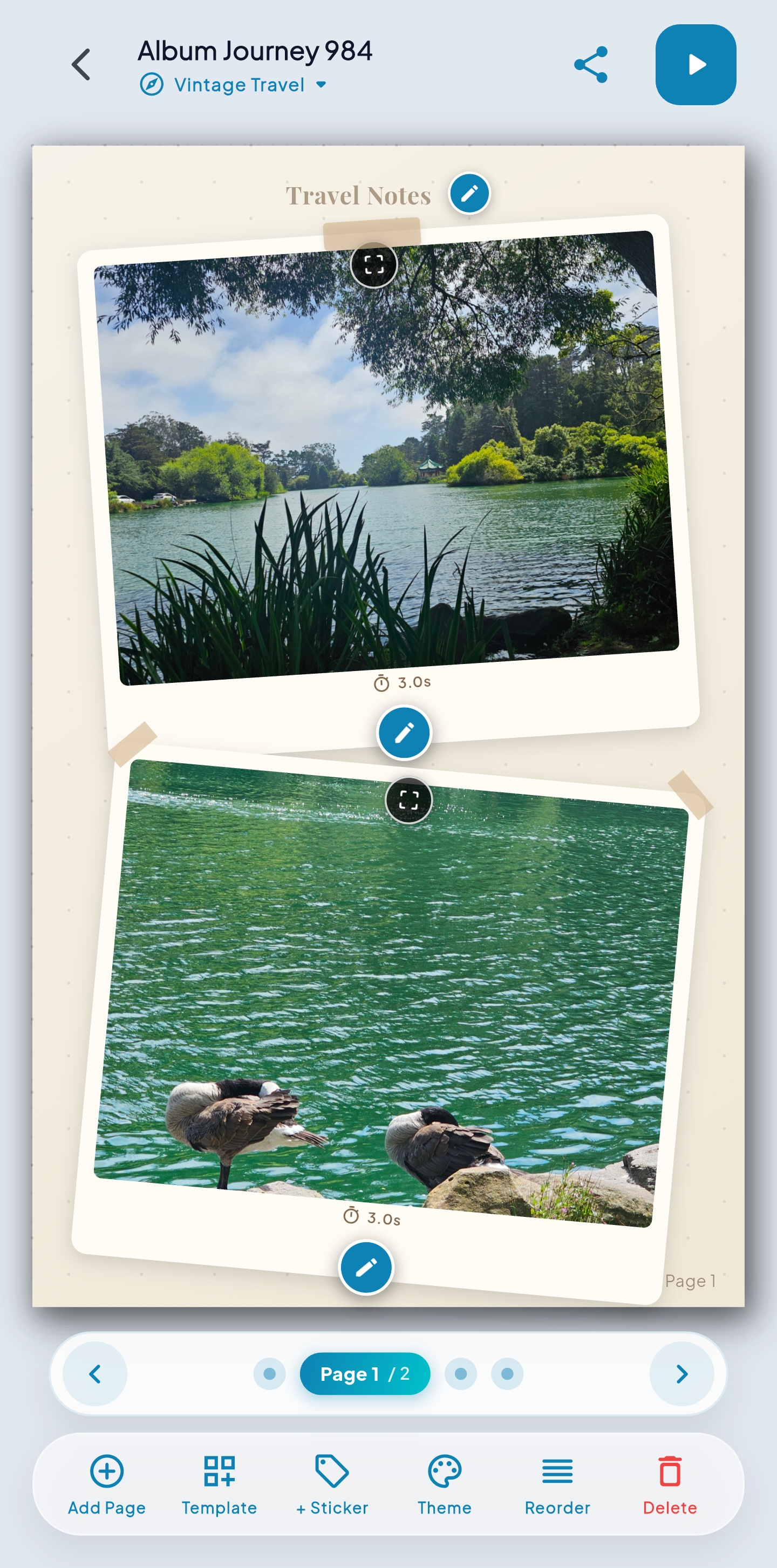
Experience your memories as an authentic, physical coffee-table travel album. Flip through pages powered by custom GLSL cylinder shaders, complete with realistic paper thickness and specular sheen.
Engineered for Precision & Tactile Storytelling
From live background GPS tracking and 3D vehicle route animations to realistic page-curl scrapbooks and Reels-ready video exports, explore the complete JourneyLog studio.
Animated Map Journeys & Playback
Watch routes come alive with smooth vehicle animations (car, plane, bike, train, boat, walking). Smart media popups surface photos and video snippets right where they were captured with customizable camera modes and intro title cards.
Live Trip Recording & Telemetry HUD
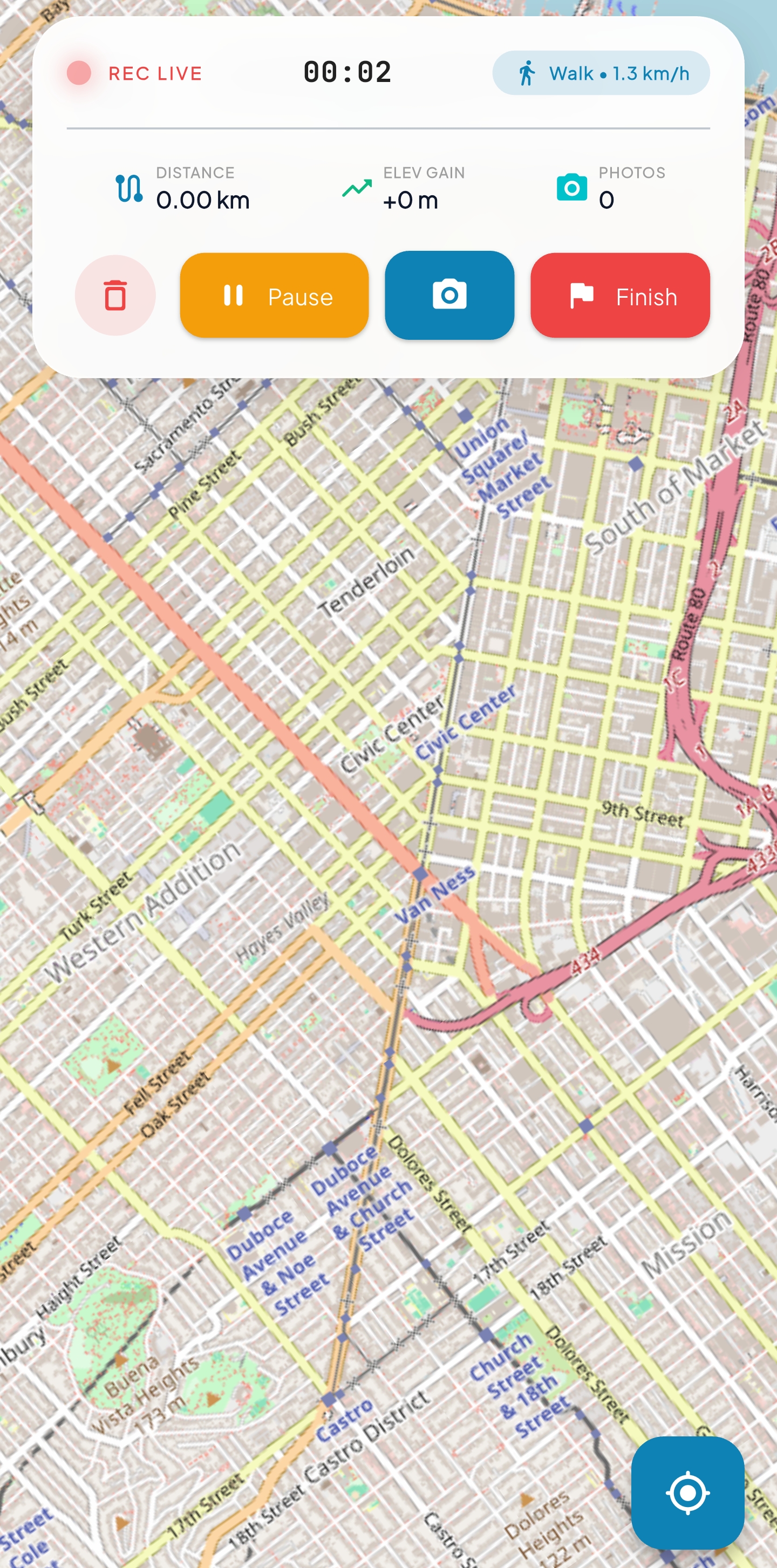
Start recording as you travel — JourneyLog runs battery-optimized background GPS tracking with a live telemetry HUD showing distance, current speed, and elapsed time, while instantly geotagging photos snapped on the go.
Smart Photo & Video Geotagging
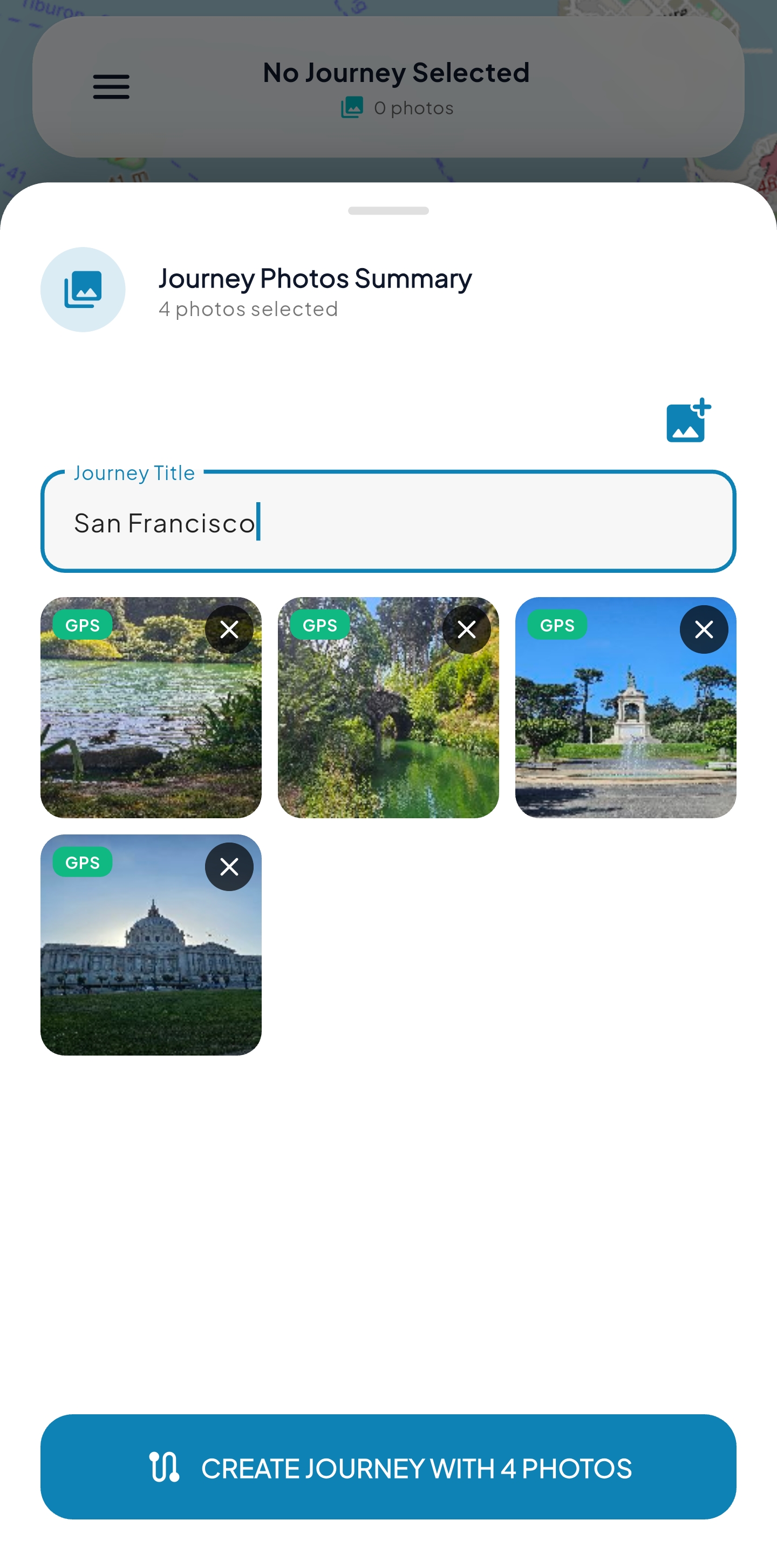
Import from your photo gallery: JourneyLog automatically reads GPS metadata, timestamps, and orientation to cluster media into scenic stops along your route. Tap to manually geotag or play synchronized video clips.
Digital Travel Scrapbooks & Book Reader
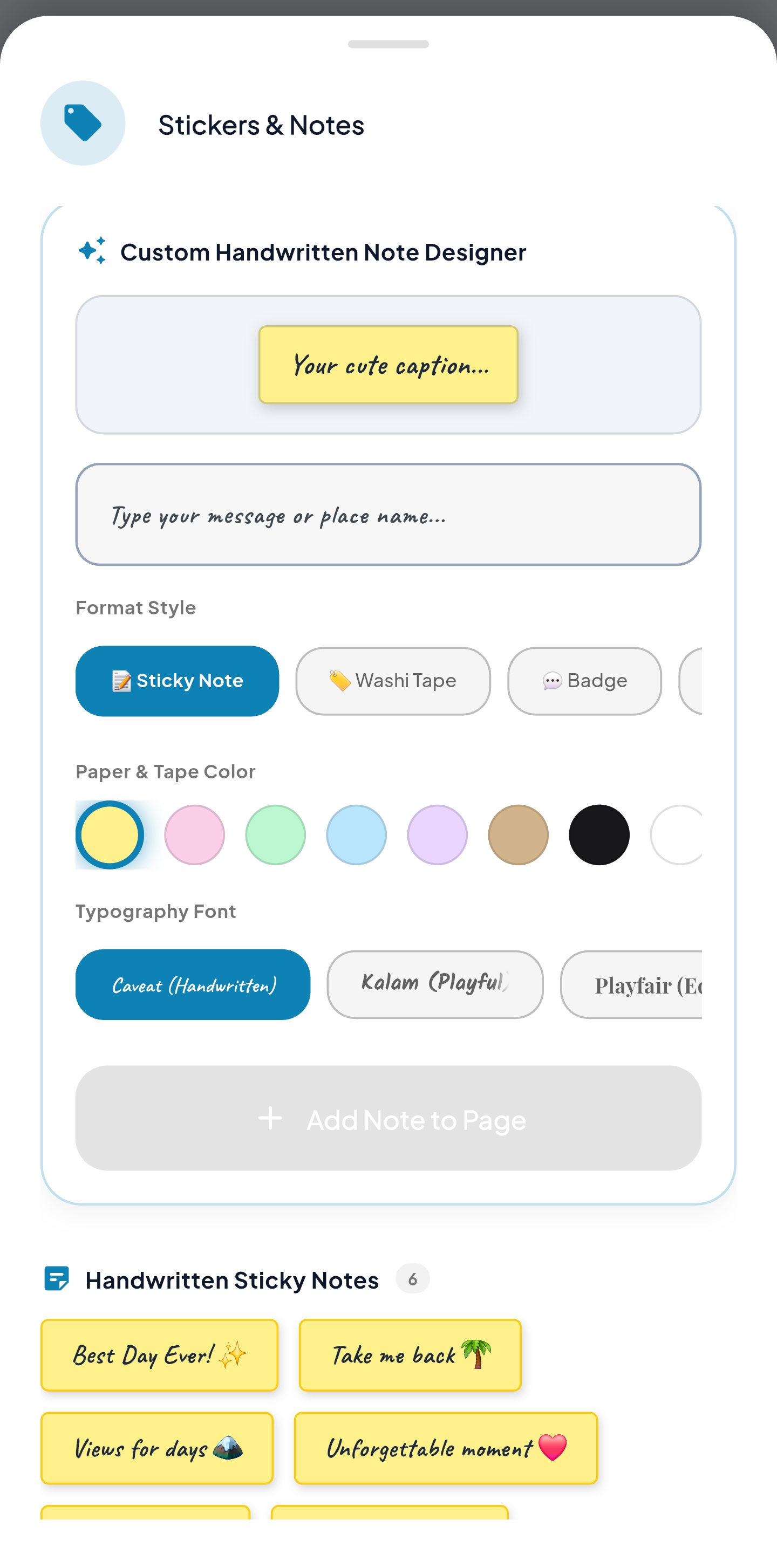
Transform any journey into an artisan digital photobook. Fine-tune frame scale, photo gaps, margin padding, and cover photo alignment. Embellish spreads with washi tapes, travel stamps, stickers, and flip through pages with realistic 3D curl physics.
Smartwatch Sync & Two-Way GPX
Sync outdoor workouts seamlessly via Android Health Connect and Apple HealthKit (compatible with Garmin Connect, Apple Watch, Samsung Health, Strava, Polar, and Coros). Export routes as open .gpx files for Strava or AllTrails, or import external GPX files with elevation gain and distance metrics.
Auto Workout Detection
A battery-friendly background detector notices when you finish an outdoor hike, bike ride, run, or walk on your smartwatch and sends a subtle reminder to view your route and link trip photos before you forget.
2K QHD, 1080p Video & Vector PDF
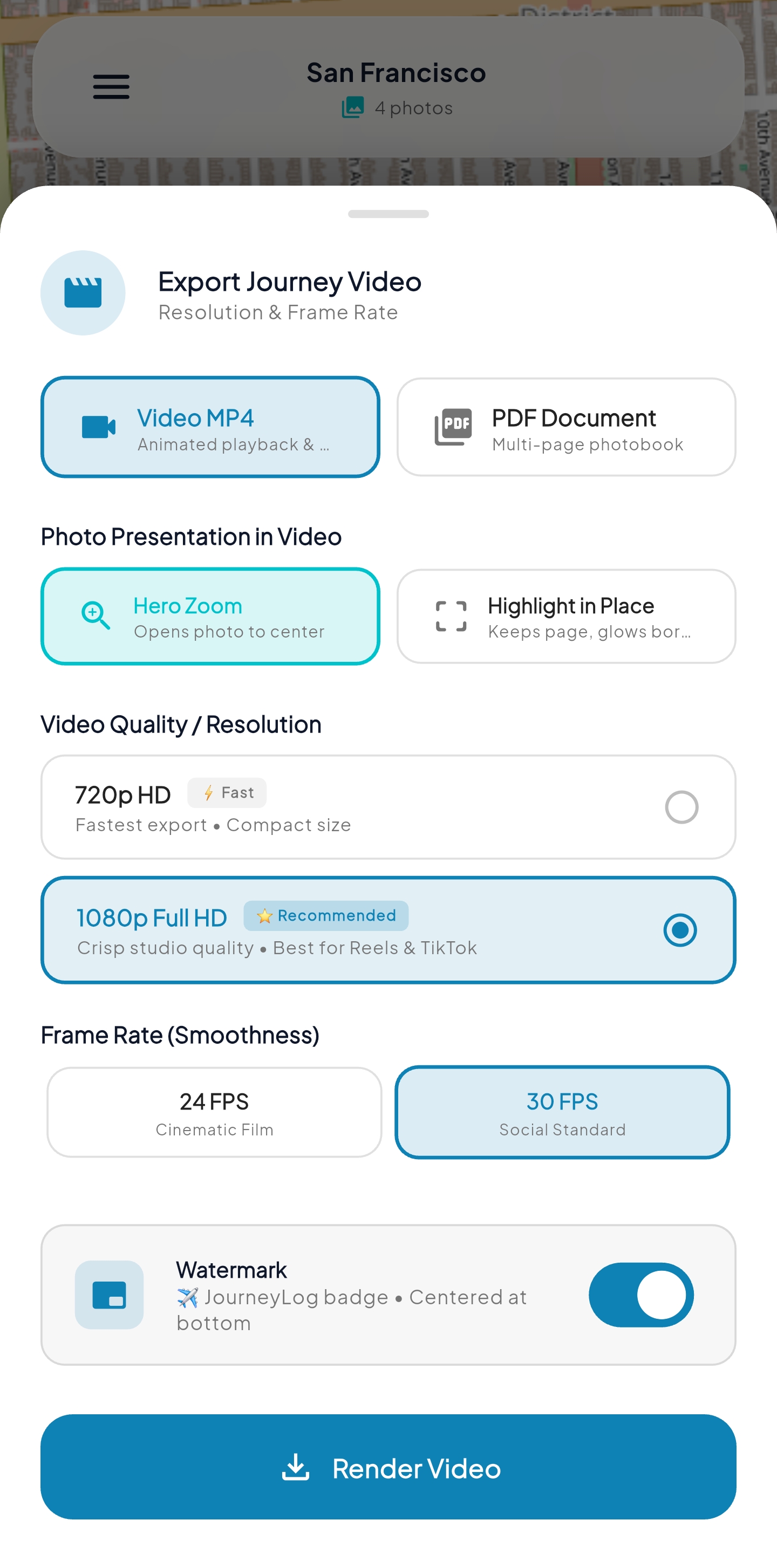
Render ultra-sharp journey animations up to 2K QHD (1440p) or 1080p at 60 FPS in 9:16 vertical (Reels, TikTok, Shorts), 16:9 widescreen, or 1:1 square. Features hardware-accelerated instant stop rendering. Export completed digital scrapbooks as print-ready 300 DPI vector PDFs.
Private Cloud Backup & Sync
Safeguard your travel memories without surrendering your privacy. Back up and sync journeys, scrapbooks, and photos directly to your personal Google Drive or Apple iCloud with live sync badges, Wi-Fi only mode, and zero third-party intermediaries.
100% Offline-First & Private
All trips, GPS tracks, photos, video snippets, and scrapbooks live securely on your phone in an encrypted local SQLite database. No account required, no remote servers profiling you, and zero behavioral analytics.
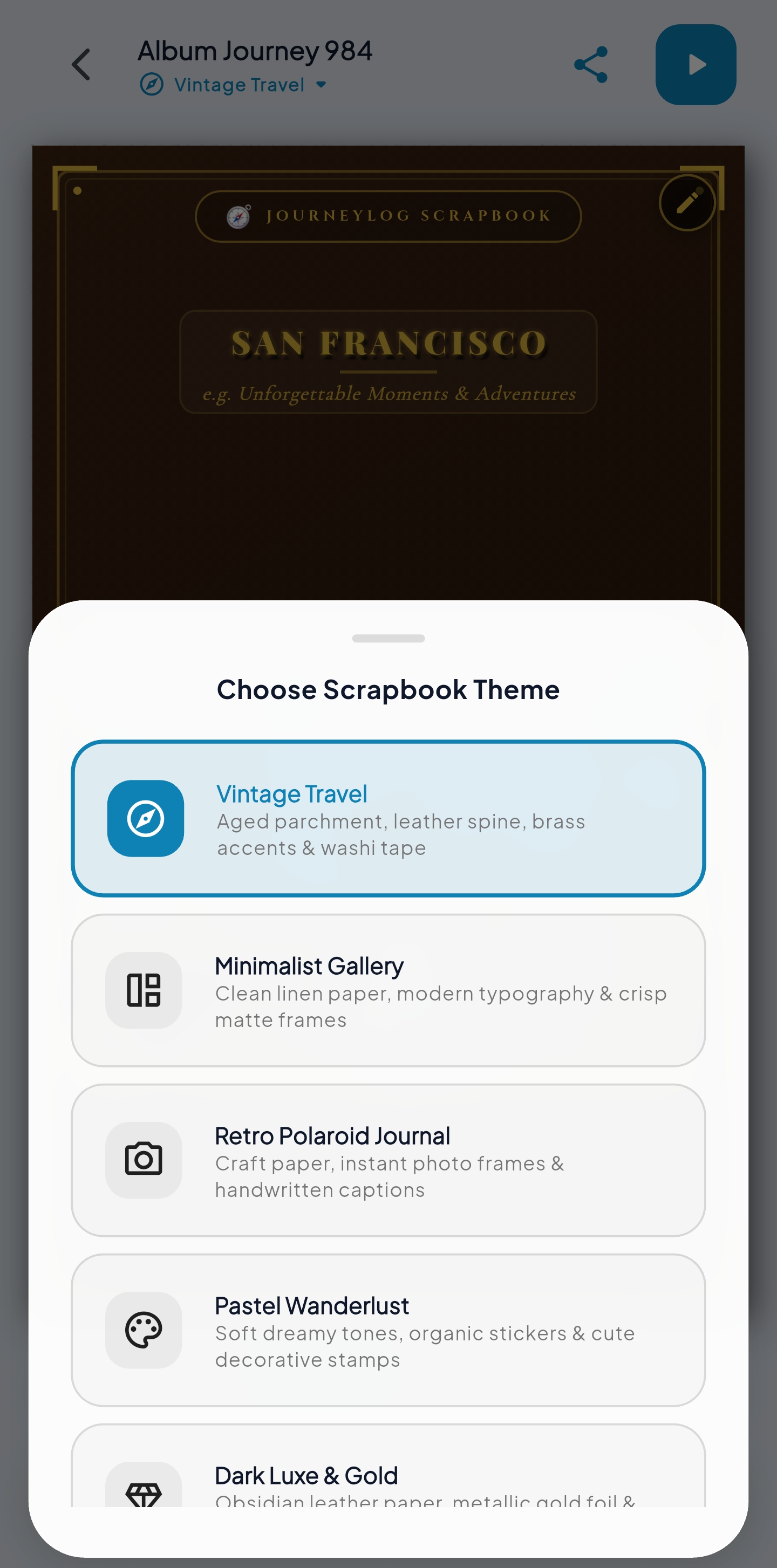
11 Book Templates & 6 Handcrafted Themes
Every page layout and theme is designed to feel like an authentic, physical travel scrapbook made with care.
Classic Travel Journal
Warm aged parchment canvas, rich burgundy accents, leather-stitched borders, and authentic washi tape.
Vintage Explorer
Antique sepia paper, aged brass corner brackets, postal stamps, and weathered map watermarks.
Modern Minimalist
Pure white linen canvas, ultra-sharp charcoal typography, borderless floating frames, and generous white margins.
Golden Hour & Gold Foil
Obsidian leather binding, warm amber & terracotta tones, and gleaming metallic gold foil embossing.
Japanese Wabi-Sabi
Organic fibrous washi paper grain, earthy moss tones, serene typography, and natural imperfect beauty.
Oceanic Coastline
Crisp ocean blues, subtle wave watermarks, modern geometric frames, and nautical typography.
11 Flexible Album Page Templates
How JourneyLog Works
From the moment you start traveling to holding a printed photo book in your hands.
Track or Import
Record live GPS waypoints on the road, or select an existing photo album from your gallery. JourneyLog reads embedded EXIF timestamps and reconstructs your trip chronologically with zero manual effort.
Curate & Style
Choose from 11 layout templates. Apply artisan themes, trim video clips, and embellish spreads with movable washi tapes, passport stamps, DYMO labels, and personal journal notes.
Play & Export
Play your trip as an animated 3D map flight or flip through your tactile scrapbook. Export print-ready 300 DPI vector PDFs for physical albums or 1080p 60fps MP4 video reels for social sharing.
Your Memories. Your Phone. Never on Our Servers.
Most travel apps quietly harvest your GPS trails, metadata, and photos to monetize advertising or train models. JourneyLog is architected with zero cloud ingestion.
Frequently Asked Questions
Can I switch between 3D Map mode and Scrapbook Album mode? ↓
Yes! All journeys share the same underlying trip data. You can switch between viewing your journey as an animated 3D map route or opening it in the interactive Scrapbook Studio at any time using the mode toggle on the top navigation bar.
Does JourneyLog require an active internet connection during trips? ↓
No. JourneyLog tracks GPS points, matches photo timestamps, and renders scrapbook pages completely offline. Map tiles use cached data or update once connection is re-established.
How does High-Definition 60 FPS video export work? ↓
JourneyLog features a zero-disk memory streaming engine via internal FFmpeg named pipes. Frames are rasterized directly from GPU VRAM into FFmpeg memory sinks, achieving deterministic 60 FPS frame-pacing with zero dropped frames and zero intermediate disk clutter.
Can I print the photobooks I design in JourneyLog? ↓
Yes! JourneyLog exports high-resolution 300 DPI vector PDF documents with 3mm bleed margins formatted to standard photo album sizes (A4, Letter, Square), ready to send directly to any commercial photo lab or home printer.
Where can I download JourneyLog? ↓
JourneyLog is officially available worldwide for Android on the Google Play Store. You can install it directly on your smartphone to create 3D animated route videos and scrapbook photobooks.
What video resolutions and formats can I export? ↓
JourneyLog supports exporting animated map journeys up to ultra-sharp 2K QHD (1440p), 1080p Full HD, and 720p HD at fluid 60 FPS. You can render in 9:16 vertical (optimized for Instagram Reels, TikTok, and YouTube Shorts), 16:9 widescreen (TV & YouTube), or 1:1 square with zero dropped frames.
Can I back up my trips to Google Drive or Apple iCloud? ↓
Yes! You can securely connect your personal Google Drive or Apple iCloud directly from the Cloud Backup screen. JourneyLog features automatic background syncing, a Wi-Fi only toggle to save mobile data, and live sync badges on your trip collection. All data is stored directly in your private cloud storage with zero intermediate server processing.
Can I export and import GPX route files or smartwatch workouts? ↓
Yes! JourneyLog integrates directly with Android Health Connect and Apple HealthKit to read workouts from Garmin Connect, Apple Watch, Samsung Health, Strava, Polar, and Coros. You can also export any recorded journey as an open standard .gpx file to share with Strava, AllTrails, or Gaia GPS, or import external GPX files with built-in step-by-step export guides.
Does JourneyLog support both Metric and Imperial units? ↓
Yes! In the app Settings, you can switch seamlessly between Metric (kilometers, meters, Celsius) and Imperial (miles, feet, Fahrenheit). All distance, speed, and elevation gain telemetry will automatically format to your preferred units.
Where are my photos, videos, and GPS tracks stored? ↓
All imported media, videos, and generated projects remain 100% inside your smartphone's internal local database. When optional cloud backup is enabled, files are transferred directly to your own personal Google Drive or iCloud container. GoShareTheJourney® has zero access to your photos, videos, or GPS tracks.
Start Your Journey with JourneyLog
Have thoughts on 3D route animation, requests for scrapbook sticker packs, or feedback on our latest release? Our studio team is here for you.
Typical response turnaround: Within 24–48 business hours.